本文最后更新于 120 天前,其中的信息可能已经有所发展或是发生改变。
一、配置文件
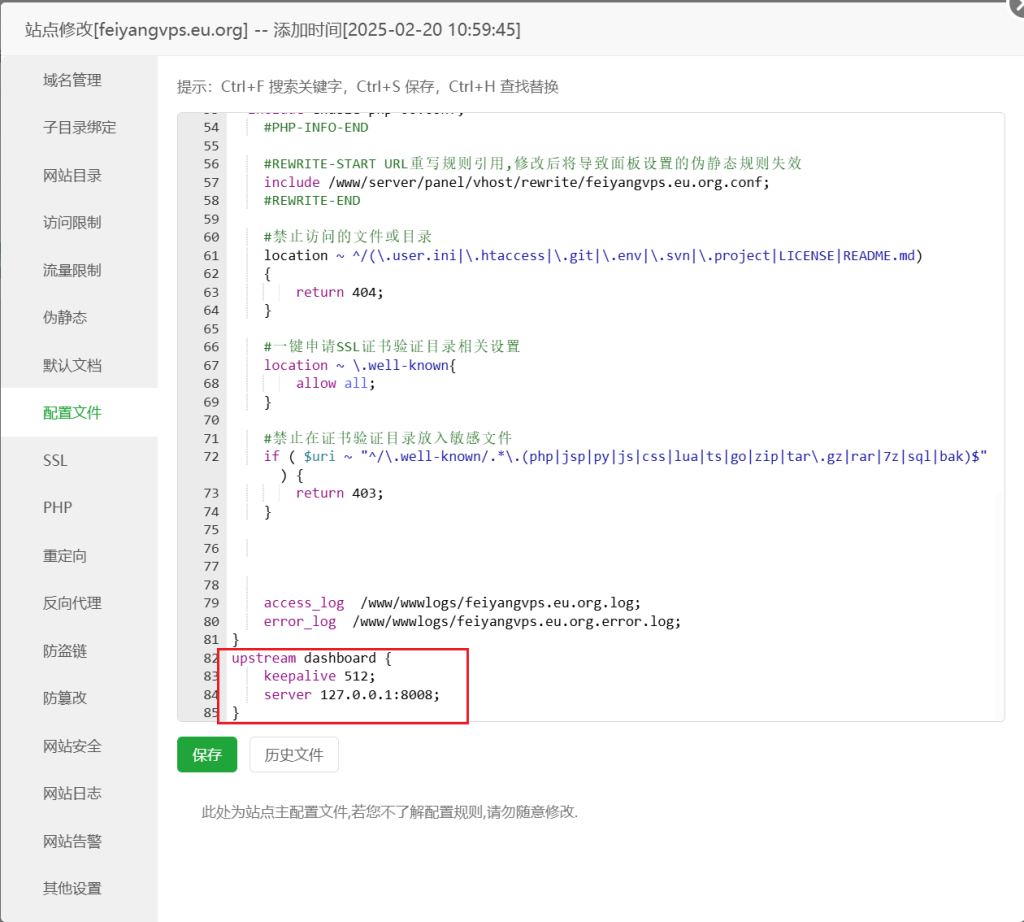
配置文件最后添加
upstream dashboard {
    keepalive 512;
    server 127.0.0.1:8008;
}
二、反代配置
#PROXY-START/

location ^~ / {
    proxy_pass http://127.0.0.1:8008;
    proxy_set_header Host $host;
    proxy_set_header X-Real-IP $remote_addr;
    proxy_set_header X-Forwarded-For $proxy_add_x_forwarded_for;
    proxy_set_header REMOTE-HOST $remote_addr;
    proxy_set_header Upgrade $http_upgrade;
    proxy_set_header nz-realip $http_cf_connecting_ip;
    proxy_set_header Connection "upgrade";
    proxy_set_header X-Forwarded-Proto $scheme;
    proxy_http_version 1.1;
    proxy_read_timeout 3600s;
    proxy_send_timeout 3600s;
    proxy_buffer_size 128k;
    proxy_buffers 4 128k;
    proxy_busy_buffers_size 256k;
    proxy_max_temp_file_size 0;
    add_header X-Cache $upstream_cache_status;
    add_header Cache-Control no-cache;
    proxy_ssl_server_name off;
    proxy_ssl_name $proxy_host;
    add_header Strict-Transport-Security "max-age=31536000";
}

underscores_in_headers on;
set_real_ip_from 0.0.0.0/0; # CDN 回源 IP 地址段
real_ip_header CF-Connecting-IP; # CDN 私有 header,此处为 CloudFlare 默认

# gRPC 服务
location ^~ /proto.NezhaService/ {
    grpc_set_header Host $host;
    grpc_set_header nz-realip $http_CF_Connecting_IP;
    grpc_read_timeout 600s;
    grpc_send_timeout 600s;
    grpc_socket_keepalive on;
    client_max_body_size 10m;
    grpc_buffer_size 4m;
    grpc_pass grpc://dashboard;
}

# WebSocket 服务
location ~* ^/api/v1/ws/(server|terminal|file)(.*)$ {
    proxy_set_header Host $host;
    proxy_set_header nz-realip $http_cf_connecting_ip;
    proxy_set_header Origin https://$host;
    proxy_set_header Upgrade $http_upgrade;
    proxy_set_header Connection "upgrade";
    proxy_read_timeout 3600s;
    proxy_send_timeout 3600s;
    proxy_pass http://127.0.0.1:8008;
}
#PROXY-END/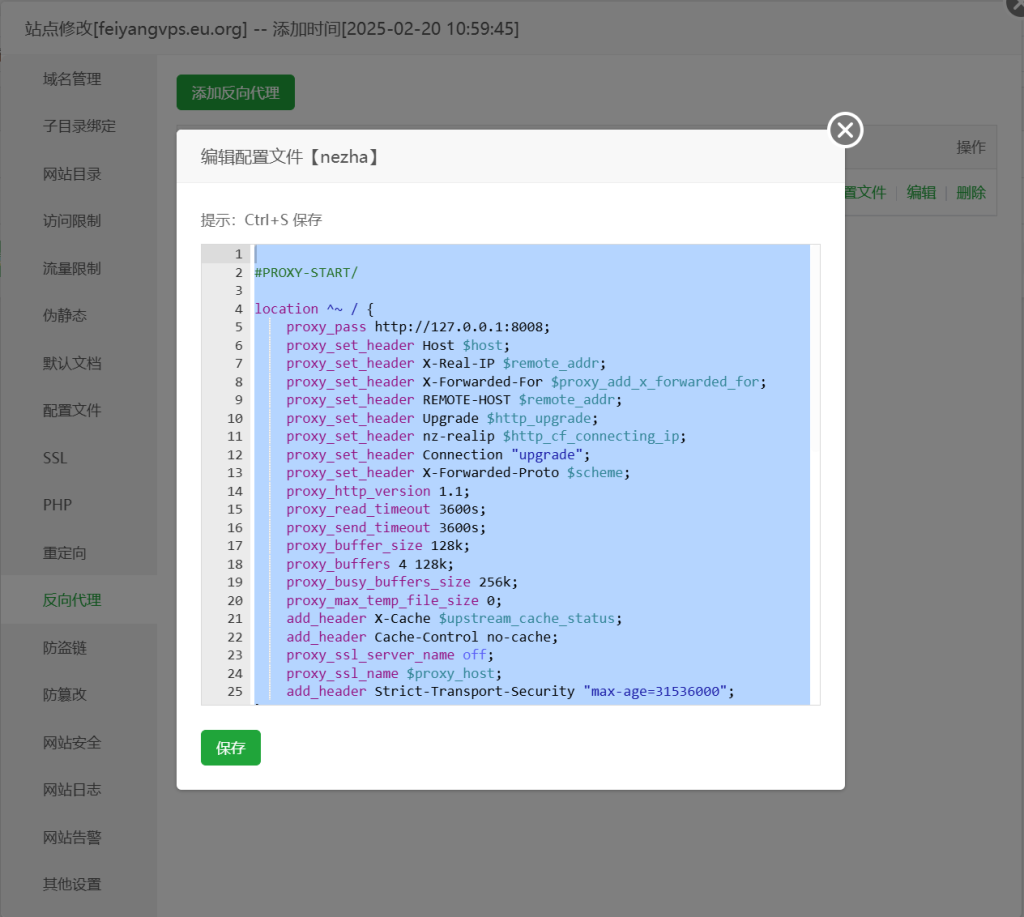
三、网络检测节点
https://china-tcping-list.vercel.app/nodes
四、UI美化
<script>
    /* 这部分这几个挂在 window 下的变量是哪吒内置的, 详见 https://nezha.wiki/guide/settings.html#%E8%87%AA%E5%AE%9A%E4%B9%89%E4%BB%A3%E7%A0%81 */
    window.CustomBackgroundImage = 'https://img.feiyang.gq/file/img/nezha/1768628602374_bgi.jpg'; /* PC 端背景图 */
    window.CustomMobileBackgroundImage = 'https://img.feiyang.gq/file/img/nezha/1768628602374_bgi.jpg'; /* 移动端背景图 */
    window.CustomLogo = 'https://img.feiyang.gq/file/img/nezha/1768628596209_logo.jpg'; /* 页面左上角和标题栏展示的 Logo */
    window.CustomDesc = 'feiyang'; /* 页面左上角副标题 */
    window.ShowNetTransfer = true; /* 服务器卡片是否显示上下行流量, 默认不显示 */
    window.DisableAnimatedMan = false;
    window.FixedTopServerName = true; /* 是否固定顶部显示服务器名称, 默认不固定 */
    window.CustomLinks = '[{\"link\":\"https://dh.feiyangyyds.eu.org/\",\"name\":\"导航\"},{\"link\":\"https://feiyangblog.eu.org/\",\"name\":\"博客\"}]'; /* 自定义导航栏链接 */

    /* 自定义字体, 注意需要同步修改下方 CSS 中的 font-family */
    var link = document.createElement('link');
    link.rel = 'stylesheet';
    link.href = 'https://font.sec.miui.com/font/css?family=MiSans:400,700:MiSans'; // MiSans
    // link.href = 'https://npm.elemecdn.com/[email protected]/style.css'; // 霞鹜文楷, font-family: 'LXGW WenKai Screen'
    document.head.appendChild(link);
</script>
<style>
    /* 自定义字体 */
    * {
        font-family: 'MiSans';
    }
    h1, h2, h3, h4, h5 {
        font-family: 'MiSans', sans-serif;
    }

    /* 背景压暗和模糊, 开了背景图建议开启 */
    .dark .bg-cover::after {
        content: '';
        position: absolute;
        inset: 0;
        backdrop-filter: blur(4px);
        background-color: rgba(0, 0, 0, 0.1);
    }
    .light .bg-cover::after {
        content: '';
        position: absolute;
        inset: 0;
        backdrop-filter: blur(4px);
        background-color: rgba(255, 255, 255, 0.1);
    }

    footer {
        display: none;
    }
</style>
五、监控数据持久化
文件位置: /opt/nezha/dashboard/data/config.yaml
tsdb: {data_path: "data/tsdb"}